Whether you’re remixing a commercial track, creating a karaoke version, extracting an instrumental for sampling, or isolating a vocal for creative reuse, AI vocal removers have become an indispensable part of the modern music production toolkit. What once required painstaking phase cancellation tricks — with inconsistent results at best — is now handled by sophisticated deep learning models that can separate vocals, drums, bass, and other stems with stunning accuracy in a matter of seconds.
In 2026, the AI vocal removal space is more competitive and capable than ever. This guide ranks and reviews the best AI vocal remover tools available today, covering everything from free browser-based options to professional desktop applications — so you can find the right tool for your specific workflow.
How AI Vocal Removal Works
Traditional vocal removal relied on phase cancellation — a technique that subtracted center-panned audio (where vocals typically sit) from a stereo mix. The result was often muddy, with significant collateral damage to bass, lead instruments, and any elements sharing the center channel.
Modern AI vocal removers work completely differently. They use deep neural networks trained on thousands of stems — isolated vocals, drums, bass, and instruments — to learn the acoustic fingerprint of each element. When you feed a mixed track into the model, it doesn’t subtract; it identifies and separates, reconstructing each stem independently. The result is dramatically cleaner isolation, often indistinguishable from the original stem in professional conditions.
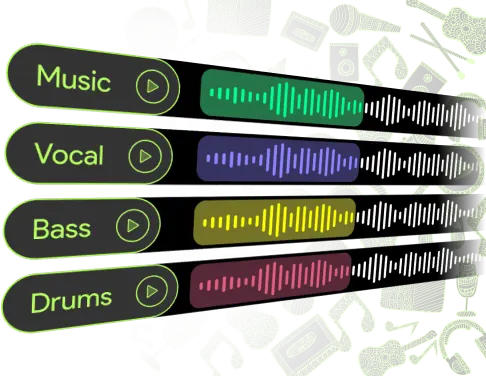
The best tools in 2026 go beyond simple vocal/instrumental splits, offering full multi-stem separation: vocals, drums, bass, piano, guitar, and “other” — giving producers clean, usable stems from any commercial release or rough mix.
Top AI Vocal Removers for Music Producers in 2026
1. Ultimate Vocal Remover (UVR) — Best for Professionals
Ultimate Vocal Remover (UVR) is widely regarded as the most powerful AI vocal removal tool available, and in 2026 it remains the definitive choice for audio professionals who need studio-quality stem separation. Unlike cloud-based tools, UVR is a free, open-source desktop application that runs locally on your computer — meaning no upload limits, no monthly fees, and no privacy concerns about uploading unreleased material to a third-party server.
What makes UVR exceptional is its model flexibility. The software supports dozens of pre-trained AI separation models — including MDX-Net, Demucs, and VR Architecture models — allowing producers to mix and match algorithms depending on the track’s complexity. For example, one model might perform better on dense pop productions, while another excels at separating acoustic guitar from a voice. Experienced users can chain multiple models for even cleaner results.
Key Features:
- Free and open-source with no usage limits
- Supports 20+ AI separation models (MDX-Net, Demucs, VR Arch)
- Full multi-stem separation: vocals, drums, bass, guitar, piano, other
- Processes audio locally — ideal for unreleased or sensitive material
- Batch processing for multiple files simultaneously
- Outputs in WAV, FLAC, and MP3
Best for: Professional producers, audio engineers, researchers, and advanced users who want maximum quality and control without recurring costs.
Pricing: Free (open-source)
2. LALAL.AI — Best for Heavy Users
LALAL.AI is one of the most respected cloud-based vocal removal platforms, trusted by professional producers worldwide for its clean, artifact-free separation quality. Its proprietary Orion AI model — one of the most advanced separation engines on the market — delivers exceptional isolation across all stem types, handling complex mixes that trip up lesser tools.
Beyond vocals and instrumentals, LALAL.AI separates up to 10 individual stems: vocals, accompaniment, drums, bass, piano, electric guitar, acoustic guitar, synthesizer, strings, and wind instruments. This level of granularity gives producers extraordinary flexibility for remixing, sampling, and reconstruction.
The platform is web-based, requiring no software installation, and processes files at remarkable speed. It supports audio and video file inputs — meaning you can extract a clean vocal directly from a YouTube video file or a live performance recording without pre-converting.
Key Features:
- 10-stem separation with the Orion AI model
- Supports audio and video file inputs
- No installation required — fully browser-based
- Preview before purchasing full output
- Batch processing on paid plans
- High output quality in WAV format
Best for: Professional producers and remixers who process high volumes of material and need consistently clean multi-stem separation.
Pricing: Credit-based system — $15 for 90 minutes of processing; monthly plans from $20/month for unlimited use.
3. Moises App — Best for Mobile & Musicians
Moises takes a unique approach to AI stem separation by building its platform around the needs of practicing musicians, live performers, and songwriters rather than studio engineers. Available as a mobile app (iOS and Android) as well as a web platform, Moises is the most accessible tool on this list for artists who work primarily from their phones or tablets.
Beyond stem separation, Moises offers a built-in smart metronome, pitch changer, and chord/beat detection — meaning you can isolate a guitar stem, slow it down, detect the chords, and practice along to it all within a single app. For producers studying a specific arrangement or learning a part by ear, this integrated workflow is genuinely powerful.
Key Features:
- iOS and Android mobile apps (plus web access)
- AI stem separation: vocals, drums, bass, guitar, piano, other
- Built-in pitch shifting and tempo control (without artifacts)
- Chord and beat detection on isolated stems
- AI-powered backing track generation for practice sessions
- Direct export to DAW-compatible formats
Best for: Musicians, songwriters, live performers, and producers who work on mobile or need a practice-focused workflow beyond pure stem separation.
Pricing: Free tier with limited features; paid plans from $4.99/month (annual billing) to $13.99/month.
4. Spleeter by Deezer — Best Open-Source API Tool
Spleeter was developed by the engineering team at Deezer and released as an open-source library in 2019. In 2026, it remains one of the most widely used tools in developer and research communities because of its speed, reliability, and zero cost. It runs via Python and can be integrated directly into production workflows, custom software pipelines, and batch processing scripts.
Spleeter offers 2-stem, 4-stem, and 5-stem separation models (vocal/accompaniment; vocal/drums/bass/other; vocal/drums/bass/piano/other), making it flexible enough for most production needs. While its output quality doesn’t match LALAL.AI or UVR on complex modern productions, it’s fast enough to process an entire album’s worth of material in minutes on a standard machine and requires no cloud uploads.
Key Features:
- Open-source, free, and locally processed
- 2-stem, 4-stem, and 5-stem separation models
- Python API integration for custom production pipelines
- Extremely fast batch processing
- Widely documented with active developer community
Best for: Developers, researchers, and technically proficient producers who want to integrate AI vocal separation into custom workflows or batch-process large libraries.
Pricing: Free (open-source)
5. VocalRemover.org — Best Free Browser Tool
For producers who need a quick, no-commitment vocal separation without downloading software or creating an account, VocalRemover.org is the go-to free browser-based option. Upload a track, and the AI splits it into a vocal and instrumental version within minutes — completely free.
The quality is adequate for casual use, karaoke preparation, rough sampling, and quick ideation. It won’t match the clean separation of LALAL.AI or UVR on complex productions, but for straightforward pop or folk tracks, the output is surprisingly usable.
Key Features:
- 100% free with no account required
- Browser-based — no download or installation
- Basic 2-stem split: vocal + instrumental
- Additional tools: pitch changer, BPM finder, audio cutter, karaoke converter
- Supports MP3, WAV, and OGG inputs
Best for: Casual users, beginners, and producers who need a fast free option for simple tracks.
Pricing: Free
Head-to-Head Comparison
| Tool | Quality | Price | Platform | Multi-Stem | Best For |
|---|---|---|---|---|---|
| UVR | ⭐⭐⭐⭐⭐ | Free | Desktop | ✅ Yes (6+ stems) | Professionals, no budget |
| LALAL.AI | ⭐⭐⭐⭐⭐ | $15–$20/mo | Web | ✅ Yes (10 stems) | Heavy users, remixers |
| Moises | ⭐⭐⭐⭐ | $4.99–$13.99/mo | Web + Mobile | ✅ Yes (6 stems) | Musicians, mobile workflow |
| Spleeter | ⭐⭐⭐ | Free | Local/API | ✅ Yes (5 stems) | Developers, batch processing |
| VocalRemover.org | ⭐⭐⭐ | Free | Web | ❌ 2 stems only | Casual, quick use |
Key Use Cases for Producers
Understanding why you need a vocal remover helps you choose the right tool. Here are the most common production applications:
- Remixing & re-production: Extract clean vocal stems from released tracks to rebuild the instrumental arrangement from scratch — the foundation of virtually every official remix workflow
- Sampling: Isolate a specific melodic or rhythmic element from a song for use in an original production, or clear and replace a vocal with your own
- Karaoke & backing tracks: Strip vocals to create practice or performance backing tracks for live musicians and vocalists
- Acappella creation: Extract a clean vocal for mashups, DJ sets, or live performance layering
- Audio restoration: Separate problematic elements in a poorly mixed stem before re-processing
- Music education: Isolate individual instruments for transcription, chord analysis, or ear training
Tips for Getting the Best Results
Even the most advanced AI models have their limits. Follow these best practices to maximize separation quality regardless of which tool you use:
- Start with the highest quality source file possible — a 320 kbps MP3 or WAV will always outperform a low-bitrate compressed file
- Use lossless formats (WAV or FLAC) for output — avoid re-compressing to MP3 after separation, which doubles the quality loss
- Try multiple models on difficult tracks — no single AI model is best for every genre; some excel on acoustic content, others on dense electronic productions
- Apply light post-processing — even a clean stem may benefit from a gentle high-pass filter and noise reduction pass in your DAW to remove residual artifacts
- Chain tools for stubborn separations — run a track through UVR with one model, then process the output through a second model to progressively clean up bleed between stems
If you’re a professional producer who demands the absolute best separation quality without spending a dollar, Ultimate Vocal Remover (UVR) is the undisputed champion — its combination of free access, model flexibility, and local processing makes it the most powerful tool on the market. If you prefer a polished cloud-based experience with 10-stem separation and no setup required, LALAL.AI is the premium choice worth every cent. Musicians and mobile-first creators will find Moises the most intuitive and feature-rich option, while VocalRemover.org serves as the fastest free starting point for casual needs.
In 2026, there is no longer any excuse for a poorly separated stem. The tools exist, most of them are free or affordable, and the quality gap between AI and human stem separation has effectively closed for the majority of production applications.